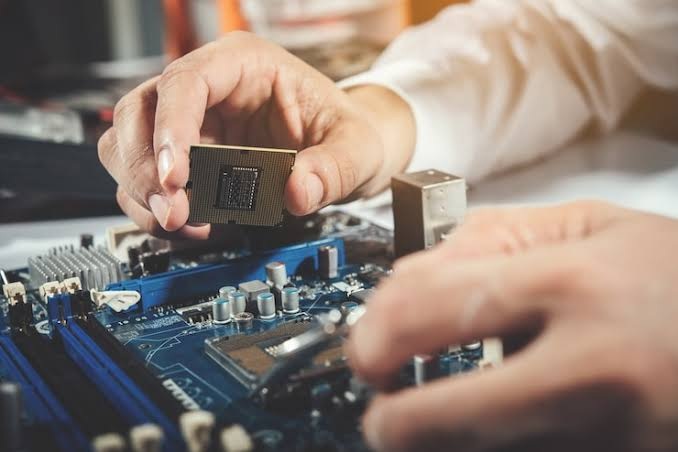


A slow computer can affect productivity, delay everyday tasks and cause frustration at home or in the workplace. Common reasons include insufficient memory, too many background applications, outdated software, malware, limited storage and failing hardware. Understanding these causes can help you identify the right solution before performance gets worse. This guide explains common slow computer problems, practical ways to improve speed and when professional Computer Software Repair Brighouse services may help. Brighouse Computer Centre supports businesses in Brighouse and West Yorkshire with computer troubleshooting, repairs and ongoing IT support to help keep systems running smoothly.
1. Too Many Programs Running in the Background
One common reason behind slow computer problems is having too many applications running simultaneously. Some programs automatically start when you switch on your computer, using memory and processing power even when you are not actively using them.
This can make your computer take longer to start and respond slowly when opening files or browsing the internet.
What can you do?
- Close applications you are not currently using.
- Check which programs launch automatically at startup.
- Disable unnecessary startup applications.
- Restart your computer regularly.
Reducing background activity can improve performance without requiring expensive upgrades.
2. Insufficient RAM or Storage Space
Your computer needs enough memory (RAM) to run applications smoothly. If you regularly use several programs, browser tabs or business applications together, limited RAM can affect performance.
Low storage space can also cause problems. When your hard drive or SSD becomes nearly full, your computer may struggle to manage temporary files, updates and other system operations.
If you experience frequent freezing or delays, professional computer hardware troubleshooting and common repair advice can help you understand whether a hardware upgrade or repair is needed.
Helpful steps include:
- Remove unnecessary files and applications.
- Empty the recycle bin.
- Transfer old files to suitable external storage.
- Consider upgrading RAM or replacing an ageing hard drive with an SSD.
3. Outdated Software and Operating Systems
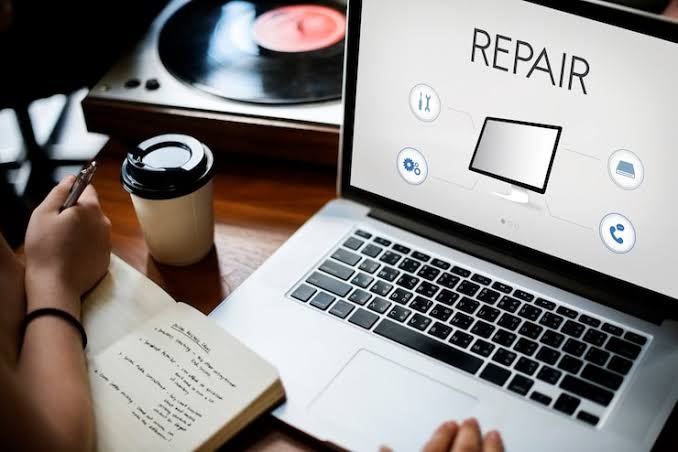
Running outdated software can affect your computer’s speed, stability and security. Older applications may contain bugs, compatibility problems or performance issues that affect how your system operates.
Operating system updates often include performance improvements, security fixes and software compatibility changes.
If applications regularly crash, fail to open or become unresponsive, you may need Computer Software Repair Brighouse services to identify and resolve the underlying issue.
Keep your operating system, drivers and regularly used applications updated. However, check compatibility before making major software changes, particularly on business computers.
4. Malware and Unwanted Programs
Malware, spyware and unwanted applications can use your computer’s resources without your knowledge. Some malicious programs run in the background, slowing down everyday tasks and potentially putting your business information at risk.
Common warning signs include:
- Unexpected pop-up advertisements.
- Unknown applications appearing on your computer.
- Unusual network or processor activity.
- Frequent browser redirects.
- Sudden drops in computer performance.
Run a scan using reputable security software and remove suspicious applications. If the problem continues, professional Computer Troubleshooting Brighouse can help identify software-related issues and possible security threats.
5. Overheating or Failing Hardware
Hardware problems can also cause a computer to run slowly. Dust build-up, blocked ventilation, faulty cooling fans or ageing components may cause overheating.
When a computer gets too hot, it may reduce its processing speed to protect internal components. This can lead to freezing, unexpected shutdowns and poor performance.
Keep air vents clear and place your computer on a suitable surface with good airflow. Avoid opening internal components unless you have the right technical knowledge.
If overheating or repeated crashes continue, professional Computer Repair Brighouse support can help identify whether cleaning, component replacement or another repair is required.
6. Too Many Temporary Files and Unnecessary Applications
Over time, computers collect temporary files, cached data and applications that are no longer needed. Although individual files may seem small, accumulated unnecessary data can take up storage space and contribute to performance problems.
If your computer takes a long time to open folders, launch applications or complete basic tasks, it may benefit from some maintenance.
Try these steps:
- Remove applications you no longer use.
- Clear temporary files using Windows storage settings.
- Check available disk space.
- Keep your desktop and downloads folder organised.
- Avoid installing software from unknown websites.
Regular Computer Maintenance Brighouse can help reduce unnecessary system clutter and keep your computer working efficiently.
7. How Can You Improve Your Computer’s Performance?
Before booking a repair, there are several simple steps you can try to improve computer speed.
- Restart your computer: This closes background processes and clears temporary memory usage.
- Update your software: Install available operating system and application updates.
- Check storage: Remove unwanted files and applications.
- Scan for malware: Use trusted antivirus software to check for security threats.
- Check startup programs: Stop unnecessary applications from launching automatically.
- Review hardware performance: Consider whether your computer needs additional RAM or an SSD upgrade.
If these steps do not help, the issue may require professional attention rather than repeated attempts at basic troubleshooting.
8. When Should You Contact a Professional Computer Repair Service?
Sometimes, slow performance is a symptom of a deeper technical problem. Repeated crashes, unexpected shutdowns, unusual noises, software errors and persistent freezing may indicate hardware or software faults.
Trying random fixes can sometimes make the situation worse, particularly if important business files or applications are involved.
Professional Computer Repair Services Brighouse can help identify the cause of poor performance, check hardware components, resolve software issues and recommend suitable upgrades.
Brighouse Computer Centre provides IT support and computer repair solutions for businesses in Brighouse, West Yorkshire and surrounding areas. Whether you are experiencing slow startup times, software errors or ongoing computer performance issues, getting the right technical assistance can help reduce disruption to your work.
How Brighouse Computer Centre Can Help
A slow computer should not continually interrupt your business activities. Brighouse Computer Centre provides professional IT support and technical assistance to help businesses deal with everyday computer problems.
From software faults and hardware issues to general troubleshooting, the team can help identify suitable solutions based on your computer’s condition and requirements.
If your computer is running slowly, contact the team to discuss the symptoms and available repair options. You can also explore the Computer Repairs Brighouse service or learn more about the available computer repair services.
Need help with a slow computer? Contact Brighouse Computer Centre to discuss your computer problems and arrange professional assistance. You can also view the business on Google to find further business information.
For reliable computer repairs, software support and business IT assistance, get in touch with Brighouse Computer Centre and discuss the right solution for your computer.
Q1. Why is my computer running slowly all of a sudden?
A. A computer may suddenly become slow because of background applications, malware, insufficient memory, software updates or hardware problems. Checking resource usage and available storage can help identify the cause.
Q2. How can I make my computer faster without replacing it?
A. Close unnecessary applications, remove unwanted programs, clear temporary files, update your software and check for malware. If performance remains poor, consider professional computer maintenance or a hardware upgrade.
Q3. Can low RAM make my computer run slowly?
A. Yes. Insufficient RAM can make multitasking difficult and cause applications to freeze or respond slowly. Adding more RAM may improve performance if your computer supports an upgrade.
Q4. When should I get professional computer repairs?
A. Consider professional repairs if your computer frequently freezes, crashes, overheats, displays software errors or remains slow after basic troubleshooting.
Q5. Does regular computer maintenance improve performance?
A. Yes. Regular maintenance can help remove unnecessary files, identify software issues, check hardware condition and reduce problems that affect everyday computer performance.